Study Desk
- When
- 2026
- Stack
- HTML, CSS, JavaScript, Python 3
- Try it
- fellobello.github.io/flashcard-study-app
- Code
- github.com/fellobello/flashcard-study-app (MIT license)
Why I built it
I needed to study a 242-card deck for my distributed software development midterm and wanted cards I could edit in a spreadsheet or with an LLM. Everything runs offline.
What it does
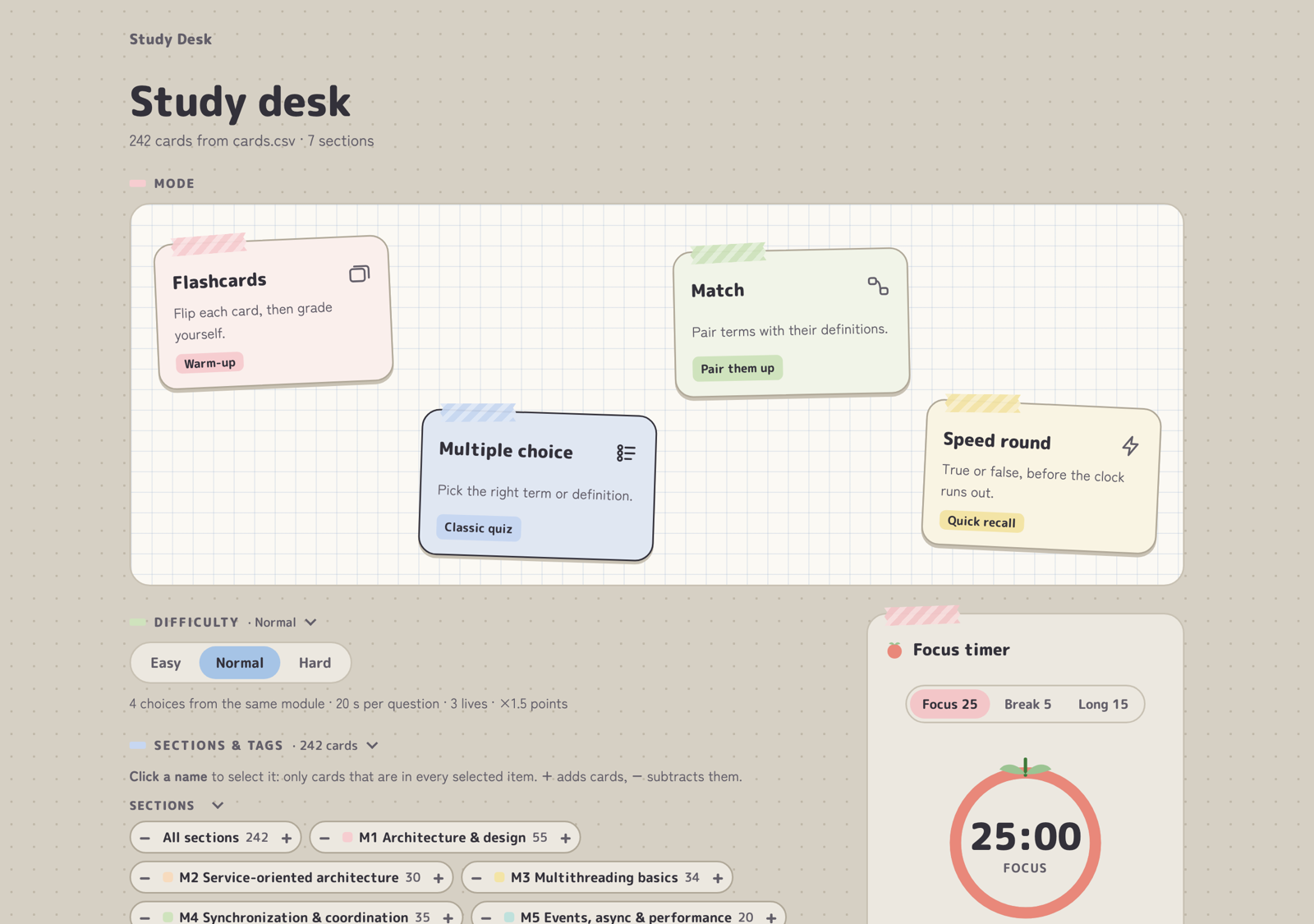
- Four study modes: flashcards, multiple choice, matching, and a timed true/false speed round.
- Three difficulty levels that change time limits, answer choices, lives and scoring.
- CSV decks: each card has a section, tags, a term, a definition and an optional example.
- Progress tracking: got-it and study-again marks, starred cards and best scores.
- Pomodoro focus timer that keeps running between games.
Interesting parts
Choosing cards with set operations
Sections, tags and piles (like "study again") each work as a set. Clicking a name
intersects it with the current selection, + adds its cards and
− subtracts them, so the deck you study is
(selected items, intersected) + added − subtracted. The picker shows that
formula and the resulting card count as you build it.
Saving progress without a backend
Opened straight from disk, the app saves progress in the browser. After running a small Python script, progress.json is saved next to the deck, so it survives clearing
the browser and can be copied between machines.